One monthly price for your whole team

Scheduling, time clock and team chat, made in Canada. CA$49 a month covers everyone, whether you have 8 employees or 80, at one location or five.

Start free trial

14-day free trial, no credit card needed

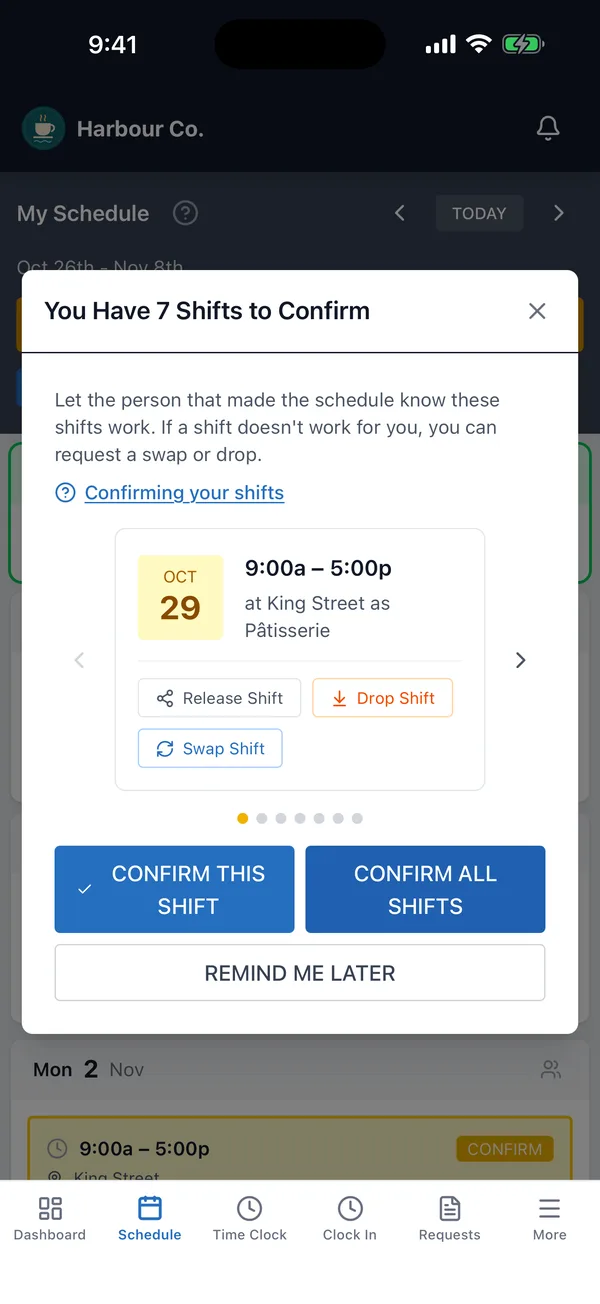
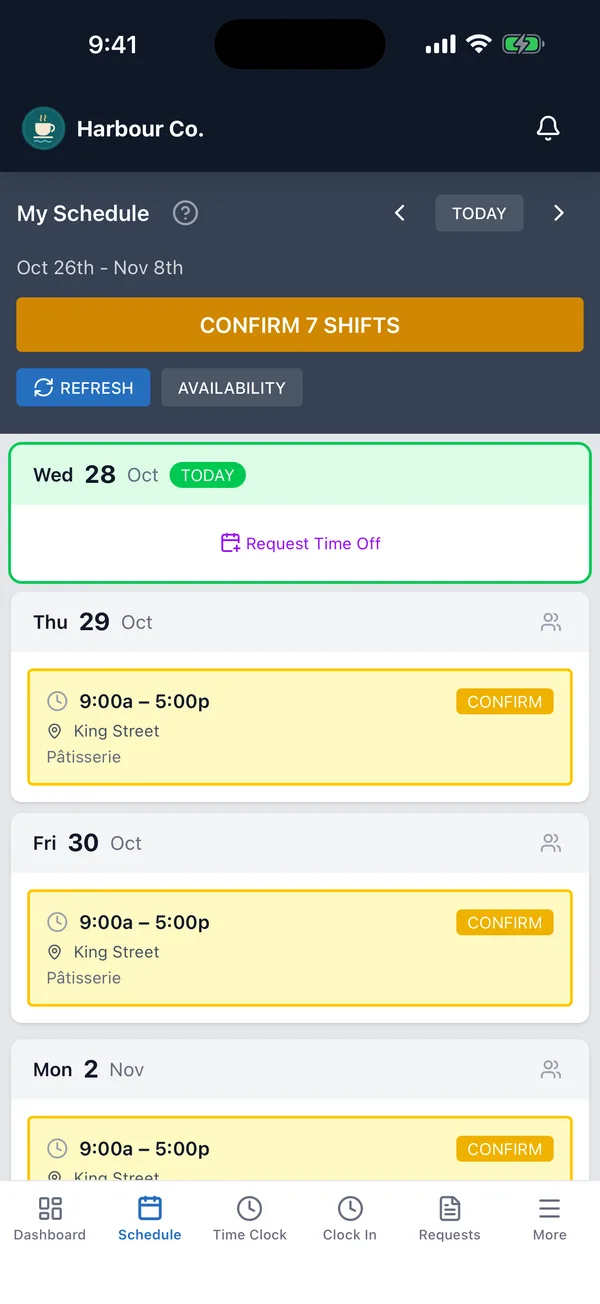
An employee’s week on an iPhone in Shift Terminal, with seven shifts to confirm.

Stop juggling spreadsheets and text threads

Everyone sees their schedule, gets notified of changes, and communicates in one place. No more phone tag, group texts, or “I didn’t know I was working today.”

Without Shift Terminal

  • The schedule lives in a spreadsheet you send around
  • Changes and call-outs go through a group chat
  • Hours come from a punch clock, paper or memory
  • Overtime gets worked out by hand before payroll

With Shift Terminal

  • Staff get their shifts by push or email as soon as you publish
  • Time off requests, swaps and drops go through the app
  • Staff clock in from their phone or a shared tablet
  • Overtime is worked out for you, and approved hours go to payroll

Build next week’s schedule in one sitting

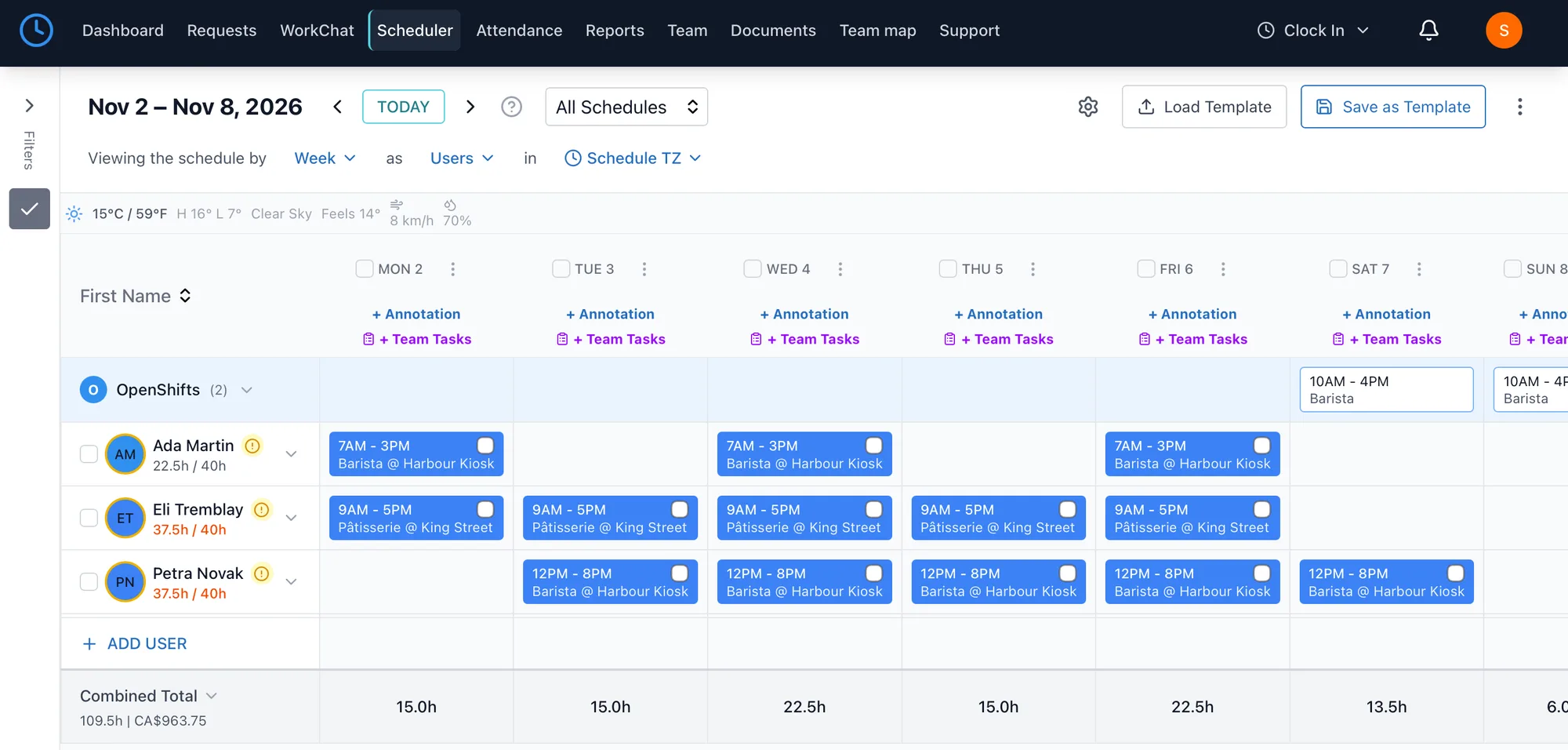
Start from a saved template or let auto-assign fill open shifts from everyone’s availability. The week’s total hours and wage cost add up as you go, so you know the cost before you publish.

More about scheduling
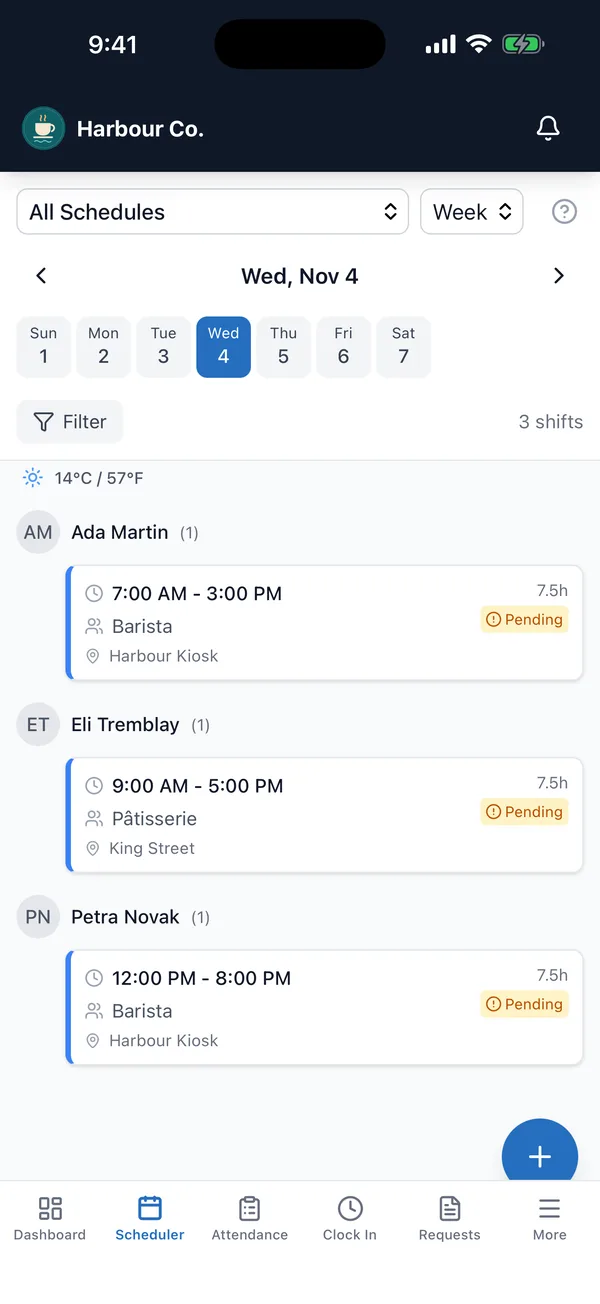
The Scheduler on an iPhone, showing Wednesday’s three shifts with each person’s position and location.

Know who showed up, and where

Staff clock in from their phone or at a shared tablet set up as a time clock, with their location checked when you turn that on. Late arrivals, no-shows and forgotten clock-outs are flagged for you before payroll.

More about the time clock
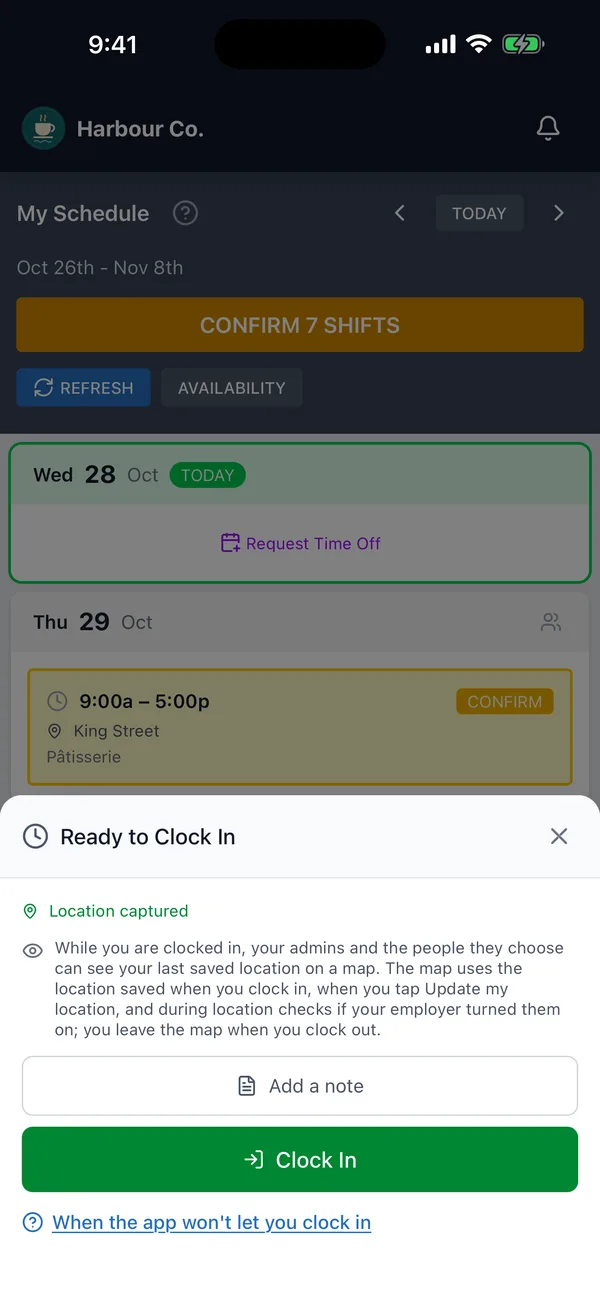
Shift Terminal on an iPhone, ready to clock in, with the location captured.

Let your staff handle swaps themselves

When someone cannot work a shift, they offer it as a swap or a drop in the app and a coworker picks it up. You can require your approval first.

More about requests
An employee confirming upcoming shifts on an iPhone, with buttons to swap, drop or release a shift.

Approve the hours and send them to payroll

Timesheets fill in from the time clock, with daily, weekly and double-time overtime worked out from your settings. Approve them, then send the hours to QuickBooks Online or download a file for your payroll provider.

More about timesheets and reports
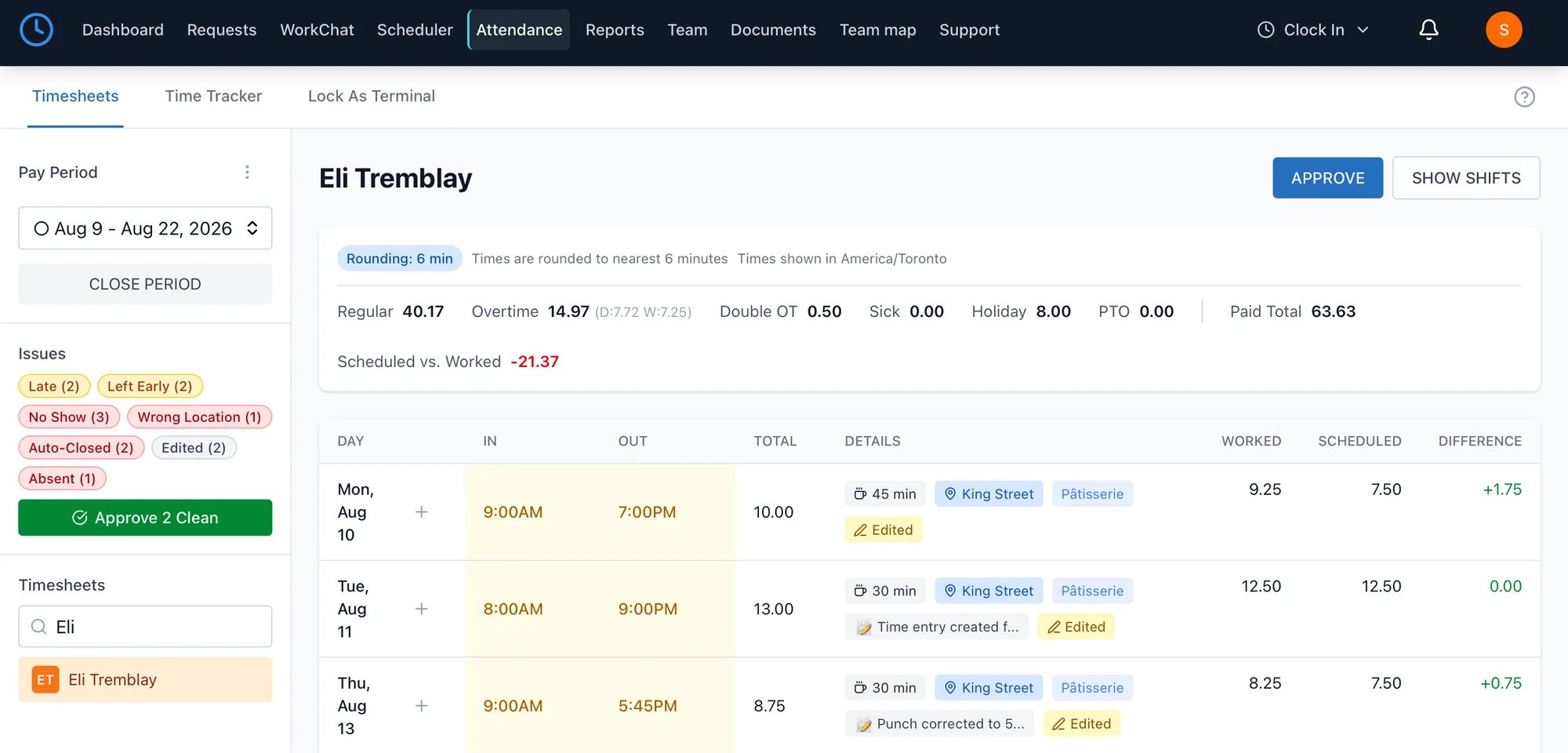
A two-week timesheet with regular, overtime and holiday hours, late and no-show flags, and an Approve button.

Your price stays the same as your team grows

Most scheduling apps charge for each employee or each location. Shift Terminal is one price for your whole organization, with every employee, every location and every feature included.

25

CA$49a month

That covers all 25 people, which works out to CA$1.96 per person. Or pay CA$490 a year.

Plus applicable sales tax.

Made for Canadian workplaces

Overtime limits for your province

Pick your province or territory and its overtime limits are filled in for you, so you are not working out overtime by hand.

English or French, person by person

Each person picks their language, from the app to the emails, so no one reads their schedule in their second language.

Hours ready for payroll

Approved hours go to QuickBooks Online or into a file for Dayforce, ADP or Gusto, so nobody retypes timesheets.

Your data is stored in Canada

Your team’s information is stored in Montréal. Shift Terminal is made in Toronto by Vizlume Inc.

From sign-up to your first payday

You can set it up yourself, or ask us to set it up for you.

  1. 1Today

    Add your team

    Upload your staff list from a spreadsheet, add people one by one, or share one join link. Each person sets up their own account.

  2. 2This week

    Publish your first schedule

    Build the week from a template or from scratch. Everyone gets their shifts on their phone.

  3. 3Your first payday

    Approve the hours

    Check the timesheets, fix any missed punch, approve them and send the hours to payroll.

One system for every store

“We run several stores and every one of them used to do the schedule differently. Now it is one system, staff clock in at the store they are working, and at the end of the pay period I approve the timesheets and export them straight for payroll. That used to take me an afternoon.”

NT
National Thrift Stores Ltd
Multi-location retail

Find your industry

Whether you run a restaurant, manage a retail store, or oversee healthcare staff, Shift Terminal works the way your team does.

Frequently asked questions

Short answers to the most common questions. The full list is on the FAQ page.

How long does setup take?

Many teams get their first schedule live quickly. Add your team, create a schedule, and start publishing right away.

Can employees clock in from their phones?

Yes. They can use the Shift Terminal app for iPhone or Android, or open Shift Terminal in any web browser.

Is there an iOS or Android app?

The Shift Terminal app for iPhone and Android is available on the App Store and on Google Play in Canada. Sign in with the same account you use on the website. The website still works in any browser on a phone, tablet or computer.

Download on the App StoreGet it on Google Play
How does pricing work?

One plan with everything included: CA$49 per month flat for your whole team, after a 14-day free trial. It is priced per organization, not per user, so adding people never changes your bill. Pay annually for CA$490 and get two months free. Prices are in Canadian dollars, plus applicable sales tax.

Is my data secure?

Yes. Data is encrypted in transit and at rest, and each organization is isolated with role-based access controls.

Do I need to pick a plan or add seats as I grow?

No. There is a single plan with every feature and unlimited users, so there is nothing to choose and no seats to buy. Admins can cancel anytime from Settings, and you keep access until the end of the period you have paid for. To switch between monthly and annual billing, contact support.

What if I only need time tracking, not scheduling?

Shift Terminal works as a standalone time clock too. Admins can turn off scheduling in Settings and your team gets a simplified experience focused on clock-in, clock-out, and timesheets.

What industries is Shift Terminal built for?

Shift Terminal works for any business with hourly or shift-based employees: restaurants, retail, healthcare, hospitality, construction, trades, and more. If your team works in shifts, it works for you.

All questions

Try Shift Terminal with your team for 14 days

Invite your staff, publish next week’s schedule and see how it fits. Every feature is included from the first day.

Start free trial

No credit card required. 14-day free trial included.